well, it’s marked as “solved”, but the “solution” seems to be for an earlier question.
Sorry …this is very looooooong.
My two (very old, now retired) Zyxel USG just about fire-walled 100 Mbps …turning on other Unified Threat Management (“UTM”) stuff dropped throughput down to 20 Mbps.
My current firewall is specced for 1 Gbps WAN …but I only get 300 Mbps from Swisscom so cannot verify this spec in practice.
Fire-walling 10 Gbps WAN needs serious hardware!
Check the specs: not a lot of “consumer” stuff can handle 10 Gbps throughput. The biggest Zyxel Flex I can find on the web (the 700) claims 5.4 Gbps firewall (only) throughput, dropping to 1.3 Gbps with the UTM stuff running.
Check out Zyxel annual licence costs for the UTM add-ons before you buy. Ask yourself if the UTM stuff is actually useful in a world moving to https, and whether you want to add complication with a proxy so the firewall can actually see what is in the encrypted traffic.
Back to connecting your firewall.
IB cannot be bridged: you will always “enjoy” its router function whether you want it or not.
The extreme option is to abandon the Swisscom IB in favour of a 3rd party device (keeping the IB available for when Swisscom support needs to intervene …they won’t accept any complaint from you if you are behind a 3rd party device).
The delicate option is to config the IB so that your firewall is DMZ.
If you choose either of the above options, your firewall will will need careful configuration if you don’t want to get pwned.
The mystery option it to run your firewall as a “transparent” fire-wall (if it is capable): “mystery” for me because I have never bothered to look into “transparent” firewalls.
The lazy option is Double-NAT:
inelegant - possibly;
breaks online games - maybe;
breaks accessing local services from outside - probably;
Easy as falling off a log - certainly!
I’ve run double-NAT for more than three decades and am perfectly happy …it just works.
If you are new to fire-walling and you don’t run externally available services and you are not a manic gamer, go for double-NAT as follows:
IB runs LAN (192.168.1.0/24 for example) as usual
IB talks LAN to TV-set-top-box (wired if possible)
IB wifi OFF if set-top-box is wired °
IB talks DECT to phones (if you have Swisscom HD phones).
IB talks (wired) to your (client-isolation capable) Access Point for guest/IoT.
Set your firewall WAN port to e.g. 192.168.1.200 (reserve this address in IB DHCP table).
Firewall gets NATted-WAN (wired only, please!) from IB and then adds its own NAT ( = double NAT).
Firewall serves DHCP to protected LAN/VLAN clients.
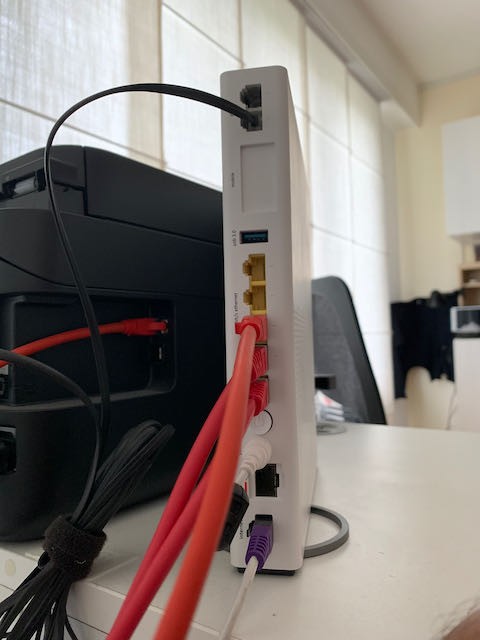
…your firewall connects exactly as your Mac Mini currently connects to one of the IB LAN ports.
DMZ setup is the same except you tell IB that your firewall is the DMZ…essentially telling IB to forward all inbound (good & bad) to firewall.
You might want to think about your backbone — given a dozen clients expecting to enjoy the 10 Gbps connect, a 1 Gbps shared wire might get crowded.
My net’s pinch-point is firewall to structured-cabling patch-panel — I use 10 Gbps for that connection.
Consider adding (free) pfSense to your list of firewall candidates.
This link
https://drakeor.com/2021/04/14/setting-up-pfsense-as-a-router/
is the story of someone setting up pfSense on old hardware and achieving 6 Gbps throughput.
pfSense can do pretty much everything the commercial stuff does and there are zero licence costs.
If you have spare cash, Netgate will happily sell you a pre-configured 10 Gbps pfSense appliance (they have no presence in CH, I got mine shipped from a UK dealer).
If you do decide to try pfSense, I can strongly recommend adding the (free, of course) pfBlockerNG-devel package …it stomps on around half a million tracking/phone-home attempts a month on my little net. It also stomps on adverts.
Chris
° Its just me - I have always hated ISP-provided WiFi gear, and my first configuration step is to turn it OFF.