Necronomicon1313 My SENT mails in the GESENDET ORDNER are suddenly all mixed up chronologically-there's seemingly no logical order to the list....How can I get the list of 'sent' mails back to chronological order?
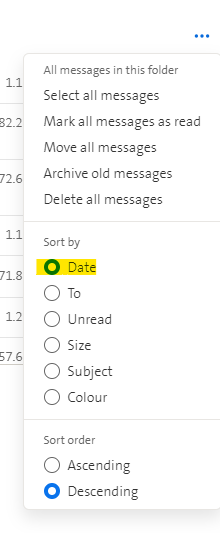
Gaeilgeoir Necronomicon1313 go to the sent folder, then click on the three dots at the top right, there you can then select 'sort by' -> 'Date', this is not only the case for the Sent Folder, but for all folders.
Necronomicon1313 Gaeilgeoir....those three little dots did the trick...thanks a lot...(I) learn something new every day...!