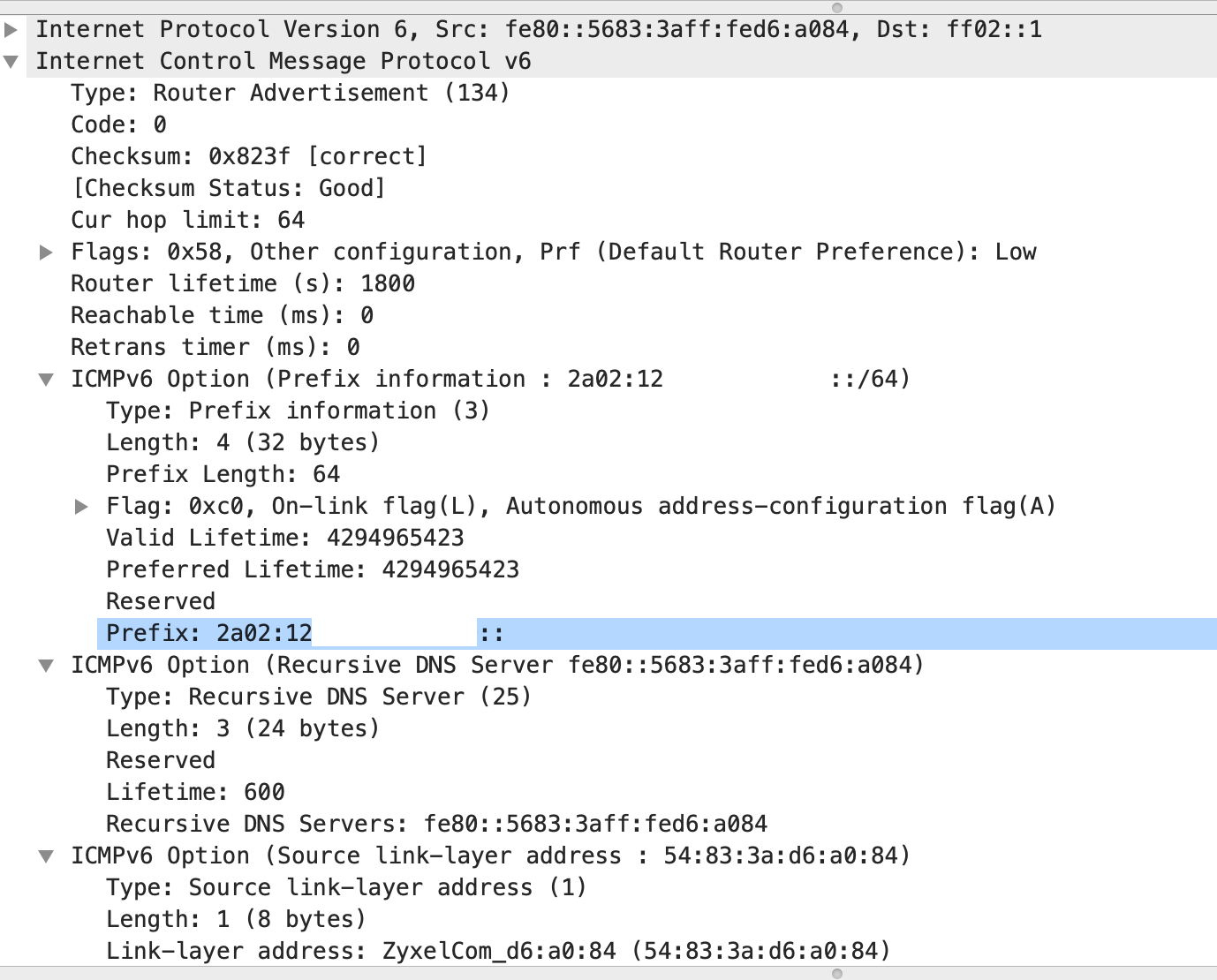
Many thanks for the reply and the analysis. This sounds like the issue is going to be corrected soon.
However the explanation also includes the statement that the link which cannot carry more than 1472 Bytes is on the Client Router side. I would have to test again, but I am quite sure I was able to send 1480 Byte sized packages over the 6rd link (tunnel from my internal router directly to 6rd.swisscom.ch gateway).
If what you wrote in step 3 is true then this would lower efficiency because the client would try to send packages with MSS of 1480 and will have to re-send it in 2 packages as the MTU is 1472. But I did not see this happening. My 1480 Bytes long packages with don’t fragment flag set did actually pass my router and the 6rd gateway (again: to be re-validated).
Your explanation however makes perfect sense assuming the MTU 1472 problem is entirely on 6rd tunnel side. But all the world seems to use MTU of 1480 for 6rd tunnels so all 3rd party routers will assume this MTU by default - some of them even not allowing to change it.
As mentioned by @lucaberta he cannot change the advertised MTU on LAN side.
So your scenario explains why keeping MTU 1480 on client/LAN side will still trigger the failure even though the MTU on the 6rd tunnel is lowered. Reason is simply that the TCP MSS is kept and the response never gets delivered and the webserver is also not informed that the package got dropped on its way back.
So actually if the firewall issue on Swisscom web server side is resolved, then the response packets still get dropped, the server is informed about this and will fragment its 1480 bytes long response into 2 packets, each smaller than 1472 bytes.
Actually this is indeed inefficient as the information is split into 2 packets with additional overhead. In addition it requires the server to re-send the response (as well as it requires the request to be re-sent fragmented as well).
In addition we got feedback from @c.jaquier that the issue also appears on an IPv6 tunnel from hurricane electric (HE). Assuming this tunnel can transport packets >= 1480 Bytes and this MTU is advertised to LAN on his setup too then step 2, 3, 4, 5 and 6 in your diagram does not take place. The client would send a full-sized 1480 Byte (or larger) package to the network (of course also using MSS >= 1480). The only way this could fail now is that a router on Swisscom network side (or the firewall) dropping the package and omitting/dropping the ICMP response to the client.
So following the explanation does not fully explain this effect on a “large-MTU” capable IPv6 connection.
I don’t claim to be an expert on the topic and your explanation perfectly makes sense with a 6rd tunnel on a Swisscom IB where clients use wrong MSS of 1480 even though the IB announces 1472 on router advertisement frames to the LAN.
But what if you’re using any internet connection which seriously is capable of routing 1480 Bytes long packages? Will they reach the web server in Swisscom setup? Will the Webserver be able to respond with equally sized packages?
There are 2 possibilities why also the requests via HE tunnel are blackholing:
- The HE tunnel is also limited to less than 1480 bytes while the clients are wrongly advertised 1480 Bytes MTU (I would say this is unlikely)
- Also the request or response from the web server is dropped due to the fact this server is also limited to 1472 Bytes and also the ICMP responses asking for fragmentation are never sent back to the client (and yes, my tcpdump has shown I never got any ICMP response when sending 1480 Bytes packages over the 6rd link to the Swisscom webserver).
Maybe I am missing something here. The explanation makes sense but does not cover the case the user is using a real “large-MTU” capable link. In such case the ICMP packet too big message should be received as an answer to the request (6 in your diagram).
EDIT: I just changed my MTU on the 6rd tunnel back to 1480 Bytes as well as advertising an MTU of 1480 Bytes to my LAN clients. And I can confirm that I can successfully ping Google using “ping www.google.com -l 1432” This results in an IPv6 packet with 1440 bytes length and 40 Bytes IP header which is a total of 1480 Bytes. So neither my Router nor the Swisscom 6rd gateway is dropping any packets of this size.
Tcpdump:
20:01:28.449232 IP6 2a02:120b:xxxx:xxxx::y> 2a00:1450:400a:803::2004: ICMP6, echo request, seq 154, length 1440
20:01:28.457061 IP6 2a00:1450:400a:803::2004 > 2a02:120b:xxxx:xxxx::y: ICMP6, echo reply, seq 154, length 76
So now I can’t reach any Swisscom services any more.
Now returning to 1472 Bytes MTU (on Link and advertised to clients via radvd):
“ping www.google.com -l 1432” timing out now
tcpdump showing me I need to fragement at a maximum of 1424 (actually as expected, 8 Bytes less):
20:06:49.969566 IP6 2a02:120b:xxxx:xxxx::y > 2a00:1450:400a:800::2004: frag (0|1424) ICMP6, echo request, seq 159, length 1424
20:06:49.969567 IP6 2a02:120b:xxxx:xxxx::y> 2a00:1450:400a:800::2004: frag (1424|16)
Sure I can do this:
“ping www.google.com -l 1424”
tcpdump confirming success
20:09:26.150286 IP6 2a02:120b:xxxx:xxxx::y > 2a00:1450:400a:800::2004: ICMP6, echo request, seq 184, length 1432
20:09:26.157539 IP6 2a00:1450:400a:800::2004 > 2a02:120b:xxxx:xxxx::y: ICMP6, echo reply, seq 184, length 76
So somehow it’s not my link which cannot carry 1480 Bytes and telling my Client that I need to fragment. There must be another router in the path which cannot carry the 1480 Bytes and it’s response to me asking me to fragment is dropped.
At least this is my conclusion. However I am open to an explanation to this.