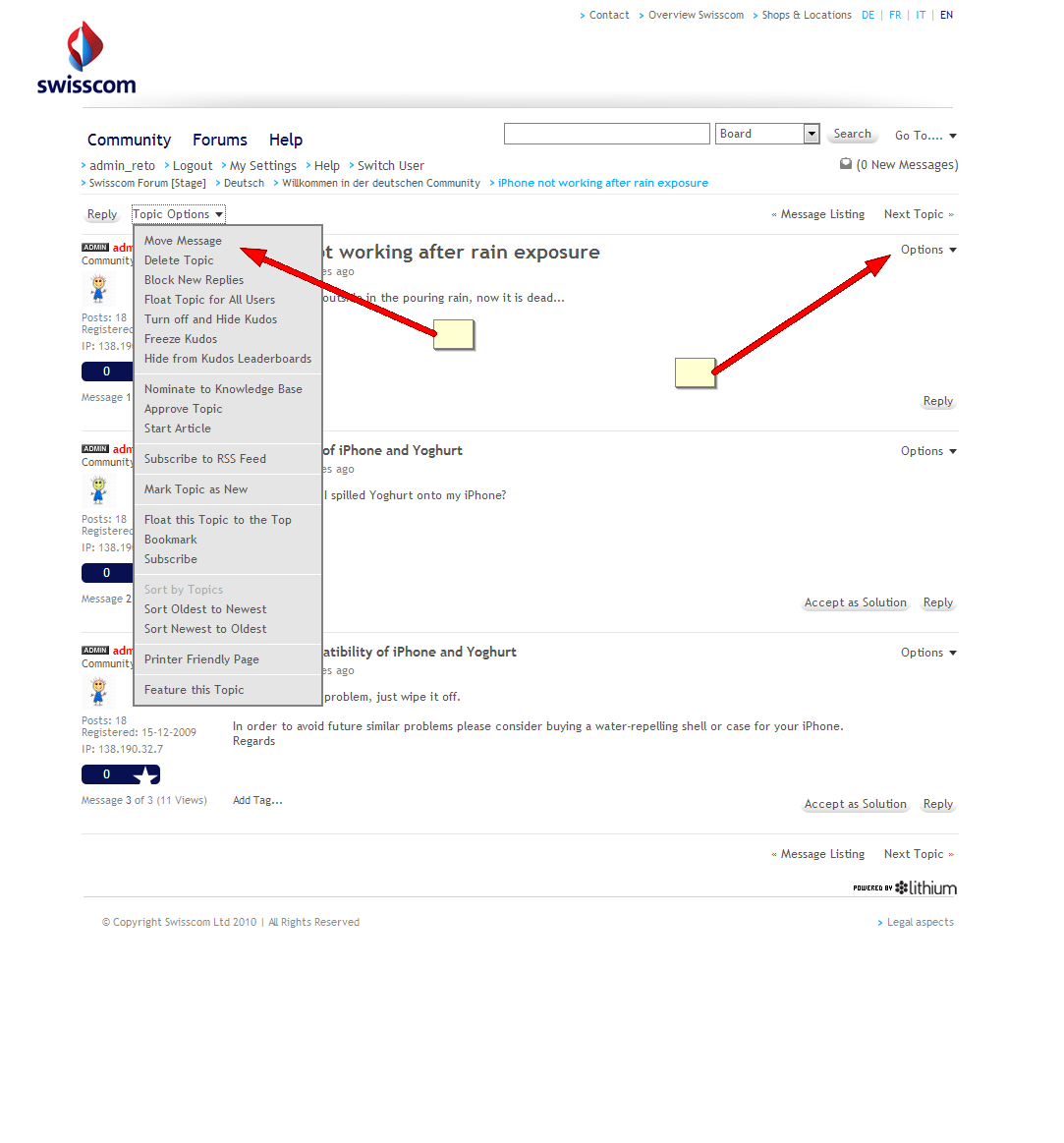
With “Options” - “Move Message” called from the “topic options” menu or from the “options” menu of the intial post you can
- only move the topic as a whole, because its replies are always linked to that initial post
- choose whether to use the post you are moving to create a new topic, or to merge it into an existing post at the specified location.
With command “Options” - “Move Message” applied to a reply inside a topic you can
- choose whether to move the whole topic; an individual message; or an individual message and its replies
- choose whether to use the post you are moving to create a new topic, or to merge it into an existing post at the specified location.
So if you want to merge a whole topic into another one, follow these steps:
- select “Move message” from the the “topic options” or from the “Options” menu of the intial post
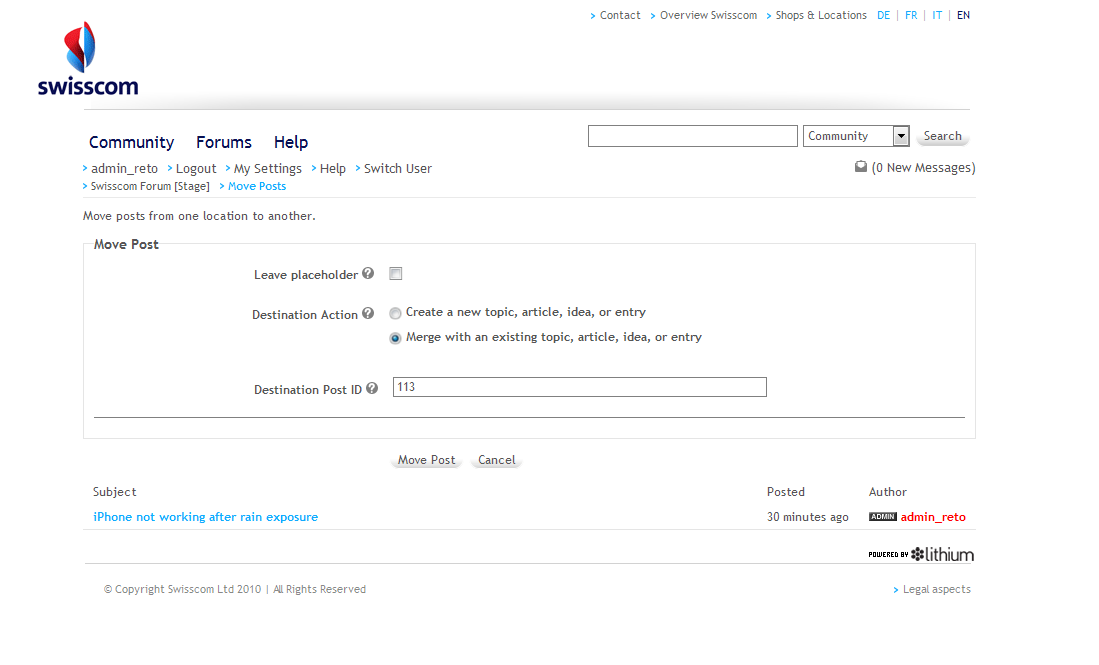
- in the subsequent screen choose “Merge with an existing topic, article, idea, or entry”, enter destination post ID (you can also choose to leave a placeholder for the topic that is being merged)
- Click on “Move Post” and that post and all its replies appear in the selected destination topic