bitracer It’s AIB. For XGS-PON (P2MP) you need certified modules, and there are none at the moment. What you can do is get a certified device to act as a modem and use 10Gbit SFP+ RJ45 module to connect to it.
kalapuro Thank you. I had a hope I can connect my Mikrotik via some SFP+ module directly to Swisscom network. I guess I’ll order Zyxel XGS-PON-Bridge PM7300. It seems to be certified. Also in my case I don’t need SFP+ RJ45, since I’m currently on Blue M plan with 1Gbit limit 🙂 but maybe in future… Thanks again for your advise!
bitracer For 1Gbps connection you might be able to get away with any compatible SFP module. That’s if you have a P2P connection, as most 1Gbit connections are.
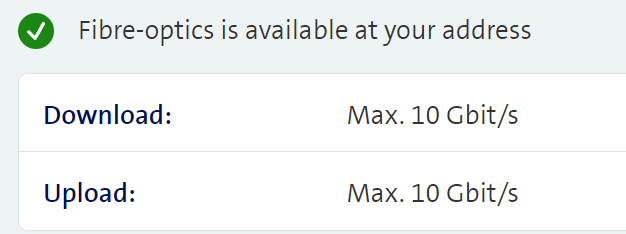
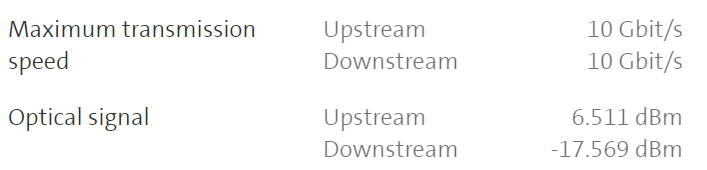
kalapuro bitracer I believe it’s XGS-PON. At My Swisscom I can see and this from my IB4 Also I have an option to switch to Blue L plan with 10Gbit for extra money, but happy with 1Gbit
user109 @kalapuro As an alternative to Zyxel you can also use this: https://www.al-enterprise.com/-/media/assets/internet/documents/nokia-ont-xs-010x-q-datasheet-en.pdf
kalapuro After few hours, mostly spent on attempts to register my router at Swisscom side, I managed to setup it. So can confirm that connecting to Swisscom via XSG-PON Zyxel PM7300 (bridge mode) works. It’s too early to comment on stability and speed, but will inform community in case of any issues. Let me know (private message) in case anyone needs assistance with Zyxel PM7300 configuration. P.S. Speedtest -> https://www.speedtest.net/result/15528401646
bitracer If you’re a blue TV subscriber, it would be nice if you could publish here the IGMP Proxy and IGMP snooping config, once you get it to work.
Jioviogitz54 Ich schreibe halb einen Übersetzer, ich brauche Hilfe, um ihn zu verbinden, ich weiß nicht, was ich tun soll, es hat für mich funktioniert 0* *Sensible Daten durch Moderation gelöscht.
Gaeilgeoir @Jioviogitz54 Es ist schwierig zu verstehen, was das Problem ist. Auf jeden Fall bitte die Telefonnummer löschen. Could you try to explain it in English or your mother language, please?
bitracer Essentially, it comes down to configuring VLAN10 and DHCP Option 60 on the WAN interface and then registering the WAN interface MAC address by visiting http://www.swisscom.ch/start
P4R4DiSi4C Thanks @user109 Was able to get my Mikrotik CCR2004 working yesterday 🙂 Here is the configuration used: https://gist.github.com/P4R4DiSi4C/c5d474f3835a6e697cd9c26b3a63b405 - All LAN Bridge Conf - sfp-sfpplus1 WAN with Swisscom requirements (VLAN 10, DHCP Client with option 60) Connected to Zyxel PM7300 Bridge with 10G XGSPON => Default IP (192.168.0.1) with no VLAN and no DHCP, only BRIDGE enabled. Used www.swisscom.ch/registration to register the Mikrotik CCR2004. XGS-PON => FIBER => PM7300 => RJ45 to S+RJ45 => CCR2004 => DAC => CRS310