Hello,
Thank you for contacting us. Gladly I will try to help you further.
As a first attempt at a solution, I would ask you to check the following settings.
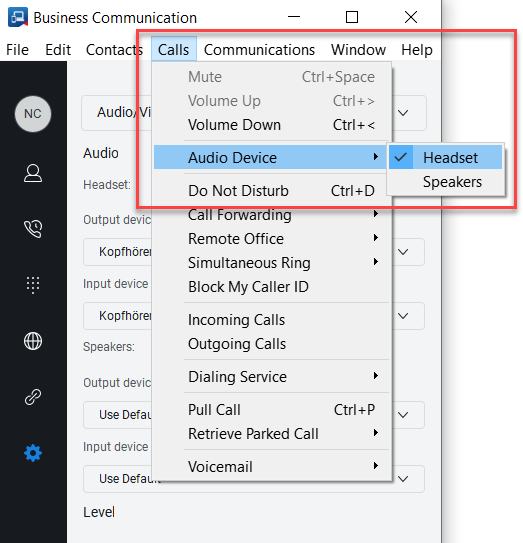
1) Navigate within your Business Communication App to the upper menu bar. There, select the menu item "Calls", then "Audio Device" and choose "Headset".
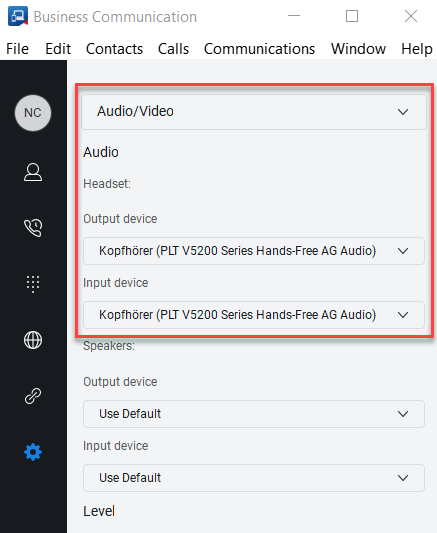
2) Please select the settings menu in the left menu bar. There you navigate to the menu "Audio/Video". Please select as Output and Input Device the headset you want to use for your calls. It is important to select the device explicitly and not the setting "Use Default".
Hope this helps. If this does not solve the problem, you are welcome to contact us again.
Best wishes
Maximilian