*\== Configuring the Netgear N600 DGND3800B VDSL modem-router for a Swisscom VDSL connection ==*
My device is now working fine for Internet access using my local provider, Swisscom.
The configuration sheet that Swisscom sent me was TOTALLY WRONG (!), but I discovered that the following settings work for me…
The key surprising points are:
(a) You need to KEEP the NetGear default settings for GERMANY, with service provider = DT.
(b) You should NOT set a username and password for the Internet connection (contrary to Swisscom’s instructions).
You can use the SETUP WIZARD or change the settings manually.
In either case, make sure the following settings are correct:
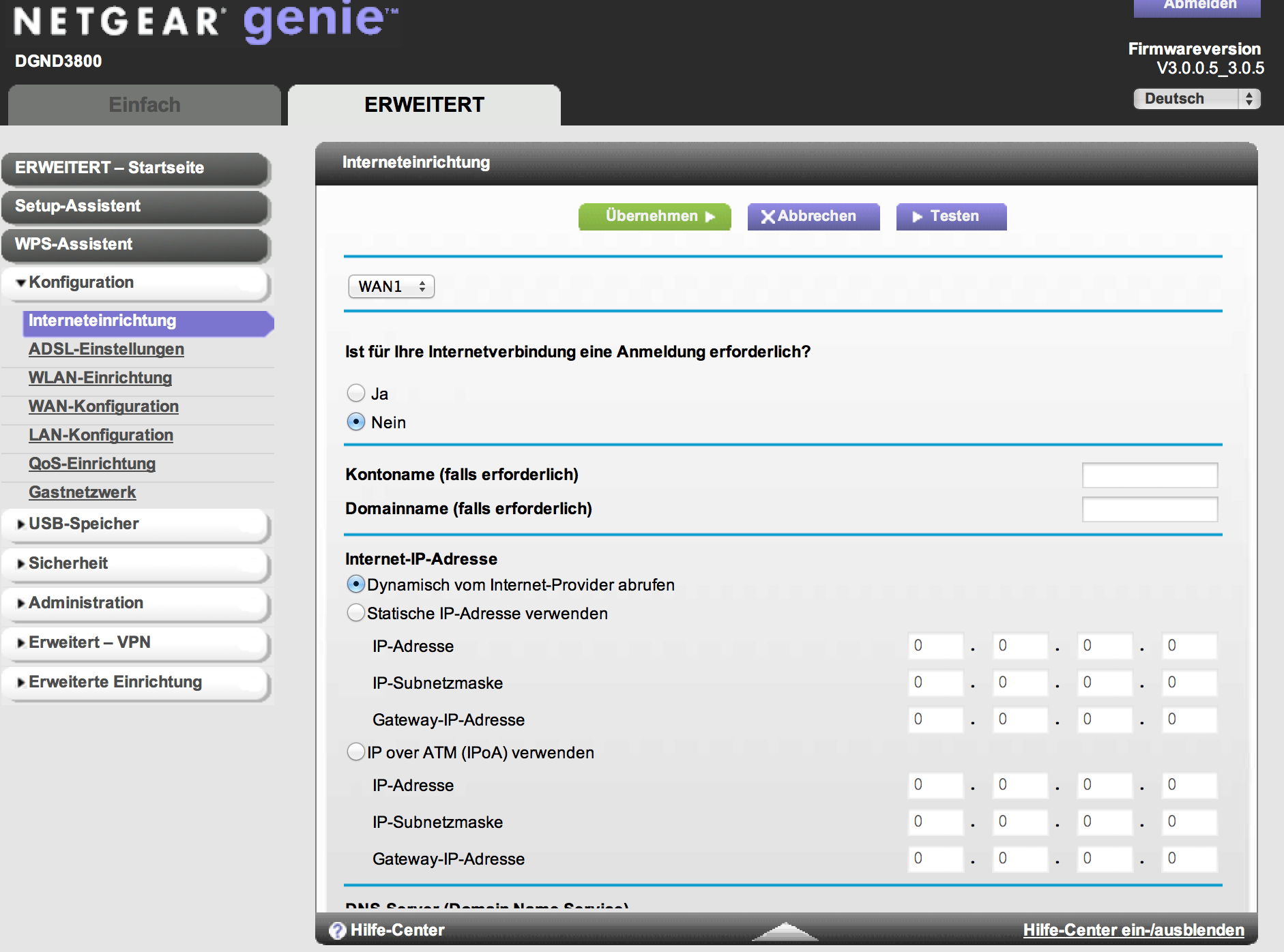
1. “BASIC SETTINGS”
- Does your Internet connection require a login? === No
Don’t forget to click on the “Apply” button.
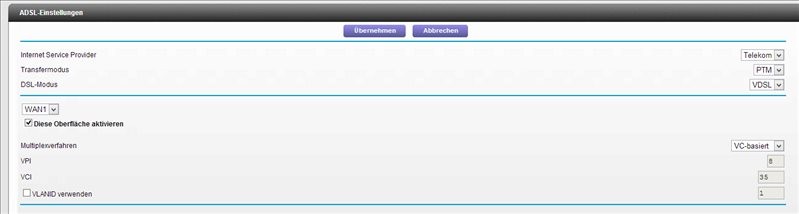
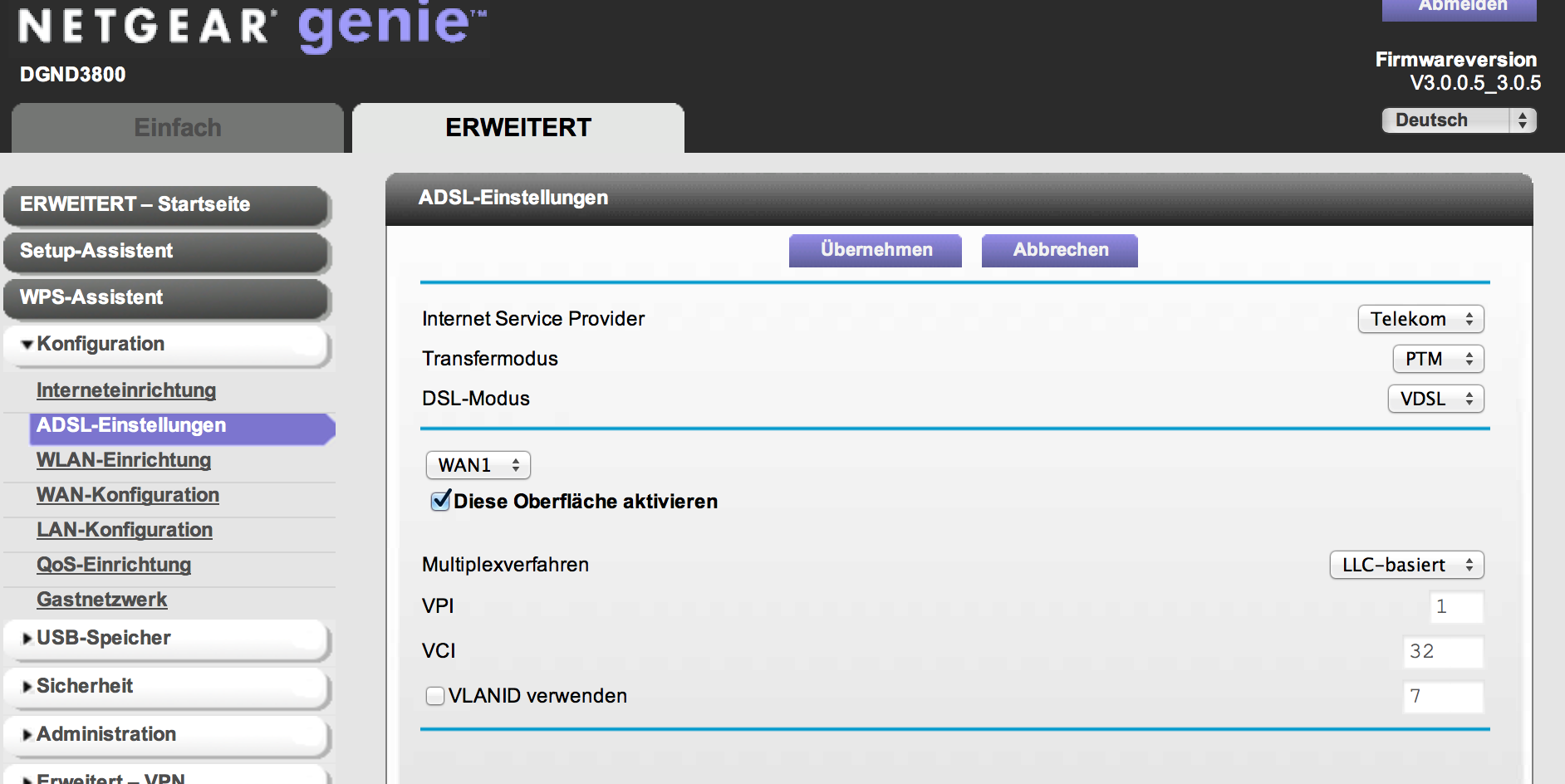
2. “ADSL SETTINGS”
- Internet Service Provider === DT
- Transfer Mode === PTM
- DSL Mode === VDSL
- Multiplexing Method === LLC-BASED
- Use VLANID === No
(Note that VPI, VCI and VLANID values are NOT USED.)
Don’t forget to click on the “Apply” button.
These settings work for me. Just in case they don’t work for you (I don’t know whether Swisscom applies different configurations in different parts of the country), here are two USEFUL TIPS:_
TIP 1: The best way to check how close you are getting to the correct configuration, is to WATCH ALL THE LIGHTS ON THE NETGEAR BOX (GREEN is good, UNLIT or RED is bad!)._
TIP 2: If you mess up the settings, you can use a straightened paper-clip to poke through the little red-colored hole (on the back surface of the box) labelled “Restore Factory Settings”: you will need to press down for maybe 20 to 30 seconds (until the lights don’t change any more), then switch the box off and then switch it on again. You will then obviously need to reconfigure the BASIC and ADSL settings as noted above.
Cheers!
Jeremy